

Agentic Multilingual Translator
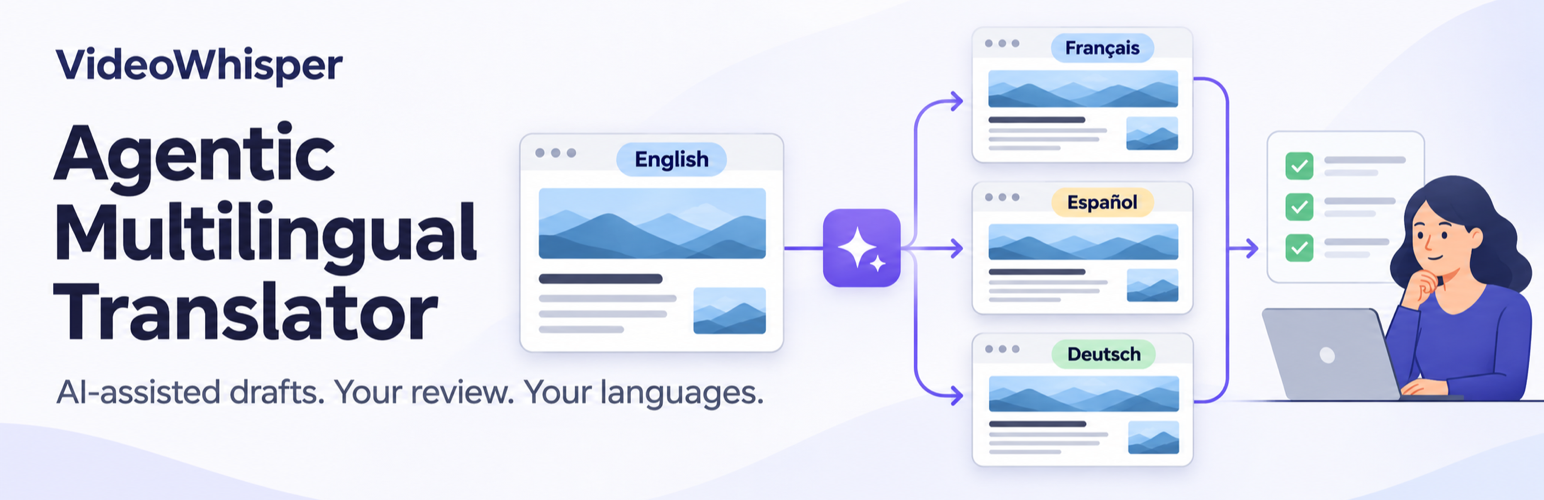
Publish language versions of your WordPress pages and posts. Keep translations local, preserve the original and use your own AI assistant to prepare drafts.
Included in the Free plugin
The latest public release works manually without a translation-service account or API key.
Local translations, familiar content
- Translated title, excerpt and HTML for public, unprotected Posts and Pages.
- Private translation drafts, revisions and source-freshness checks.
- Separate publication at locale-prefixed URLs, such as
/fr/about/. - Original content and its URL stay intact.
Visitors and your assistant
- Server-rendered language selector linking published variants.
- Canonical/hreflang support and configurable missing-translation behavior.
- Optional authenticated native abilities to read bounded text and save a private draft.
- Explicitly selected originals or optional own-author access; no publication ability.
Use the local editor for manual translation, or connect an assistant through WordPress Abilities and the optional MCP Adapter. Your AI account and subscription remain separate. Provider connection-test screens do not run automatic page translation.
Start with one page and one language
- Install and activate the Free plugin. Open Multilingual Translator → Onboarding.
- Confirm the source language and choose target languages. Adding a visitor language does not change the site’s WordPress administration language.
- Open Translation editor, choose a public original and a target, then enter or paste translated title, excerpt and content.
- Save a draft, preview it and publish after checking meaning, links and layout. Add
[vwml_language_selector]where visitors should switch languages. - For Site Manager, enable integration access in Translator, then follow Site Manager’s setup and tool-review links. Let the assistant list enabled languages and translate your own public page into a private draft. Enable remote publication separately only if that workflow is intended. The original native Abilities path remains draft-only.
Use the latest supported WordPress and PHP releases. Check the current plugin requirements on WordPress.org before installing. The admin interface currently uses English fallback; bundled interface translations are not yet provided. Review translated meaning carefully for your site’s prices, access, billing and consent.
Translate through Site Manager
The Free Translator includes an integration API, public actions/filters and a bounded WPBakery text adapter. Install the latest Translator, Site Manager and Agentic Optimization releases to use the workflow below. Site Manager Pro adds site-wide administration; Server can relay the destination site’s permitted Free and Pro tools.
- Free: users list site languages, read their own public pages/posts and permitted progress notes, submit bounded plain-text units and save private translation drafts. Direct publication is available only when explicitly enabled and permitted by WordPress, Site Manager and the connection.
- WPBakery: supported text blocks and visible button/heading labels translate while layout tokens, links and non-text attributes are preserved. Unknown/dynamic elements need manual editing.
- Site Manager Pro: separate administrator tools manage languages, all-author drafts, term names/descriptions/localized slugs and classic menu labels. Published page/term links resolve to their language version.
- Agentic Optimization: retrieve a published language or
original; content and discovery output provide the original URL, available language codes and variant retrieval links. - Site Manager Server: relay the site’s actual reviewed Free/Pro tools with its existing user, site and connection restrictions.
Example workflow: “On my linked site, list available languages, translate my About page into French and save a draft for review.” An administrator with separately enabled Pro tools can first add the site language and later review site-wide translations.
Private source and per-language progress notes let agents record unfinished review work without adding it to visitor pages or public indexes. Notes are editable through permitted, versioned tools and never approve publication.
Integration access and publication default off. Safe Drafts excludes publication and administration writes. Removing a language retains translations in a retiring state. This workflow covers page content and supported site elements; it does not translate every theme/plugin string or block navigation.
See the Free / Pro translation comparison · Explore Agentic Optimization
Common questions
Do I need a translation-service subscription?
No. Manual editing works locally. The optional assistant drafting path uses your connected AI account; this plugin does not bundle an AI subscription or silently send content to a model.
Does translation replace the original?
No. Language versions are stored separately. Draft saves retain the current published version until a permitted publication replaces it.
Can every page builder be translated automatically?
No. The current native assistant path supports a bounded safe subset. The included WPBakery adapter covers common text and labels, with unsupported elements sent to manual review. Test your actual builder, theme and cache combination.
Is a Translator Pro version required?
No separate Translator Pro package is currently released. The Free foundation remains complete. Later planned glossary, translation memory and team workflows would be separate extensions; Site Manager Pro owns the separately authorized site-wide administration above.